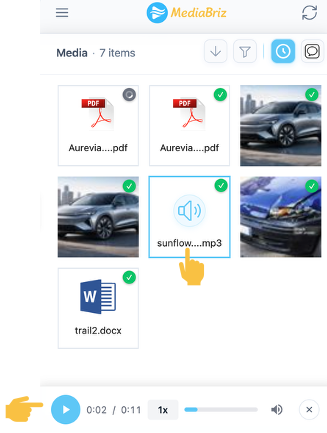
Audio files can be played primarily from the main Media view.
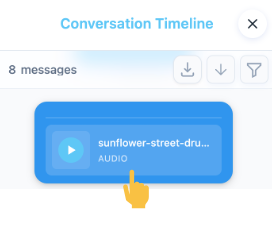
In addition, audio files can also be played directly from the Conversation Timeline.
Clicking an audio media item opens an audio player bar at the bottom of the application screen and starts playback.
The audio player allows you to play or pause, adjust the volume, change playback speed, and restart the audio from the beginning.
Was this article helpful?
That’s Great!
Thank you for your feedback
Sorry! We couldn't be helpful
Thank you for your feedback
Feedback sent
We appreciate your effort and will try to fix the article