You can mark any media item in a conversation as important using the Highlight feature.
To add a Highlight:
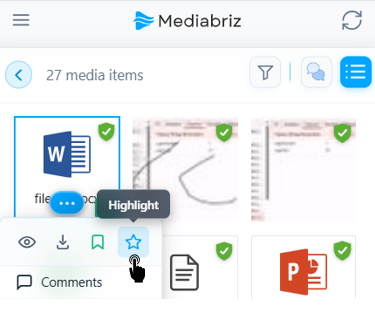
Open the blue action menu on the media item.
Click the star icon.
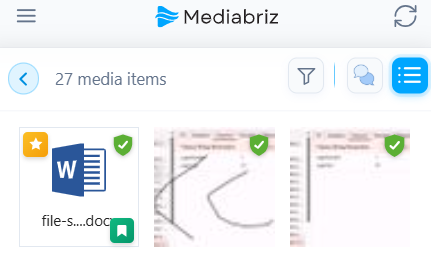
The star icon will turn yellow, and a visual indicator will appear on the media item.
Highlights are visible to all users who have access to the conversation, helping the team quickly identify important media.
However, only the user who added the Highlight can remove it.
Was this article helpful?
That’s Great!
Thank you for your feedback
Sorry! We couldn't be helpful
Thank you for your feedback
Feedback sent
We appreciate your effort and will try to fix the article