For administrators working in Genesys Cloud. AI Reply helps agents draft or improve customer replies. Configure it directly in Mediabriz; it does not need a receiving-system connection, webhook, custom fields or product catalog.
Contact Mediabriz to enable AI Reply for your organization.
Set up AI Reply
- In Genesys Cloud, open Apps > Mediabriz > Conversation Actions > Add action.
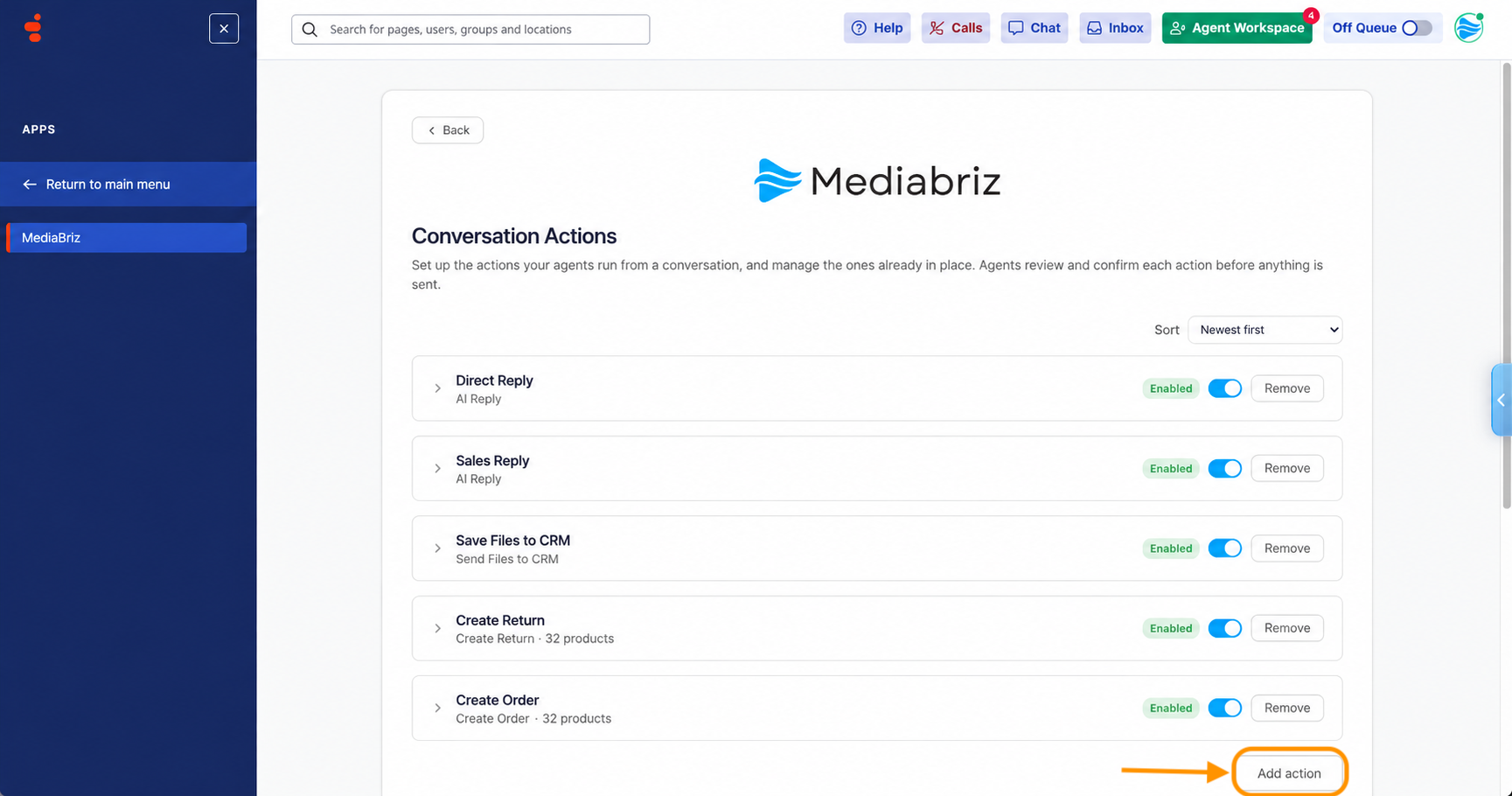
- Under Action type, open Choose an action type and select AI Reply.
- Display label: Enter a name for agents. They see it in the menu when more than one AI Reply applies to them.
- Instructions (optional): Add up to 300 characters describing your tone or useful business facts, such as opening hours.
- Reply language: Choose the language to use when the customer's language is unclear.
- Divisions (optional): Select the agents' divisions. Leave all unchecked for every division.
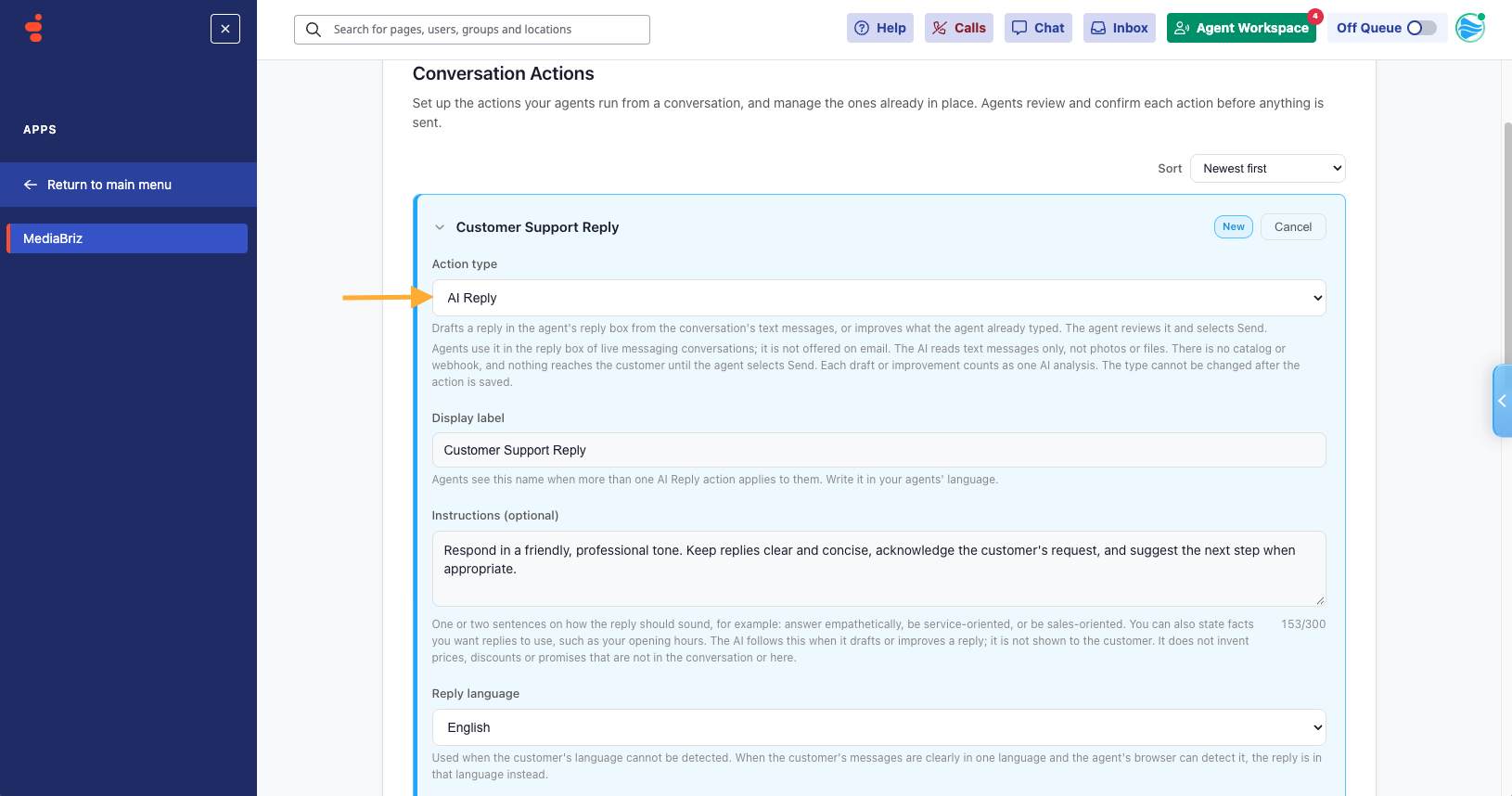
Select Create and enable to make it available, or Create as disabled to save it hidden from agents until you are ready.
Change or pause it later
Open its card in Conversation Actions, edit, and select Save changes. Use the top switch to pause or enable it. To delete it permanently, select Remove and confirm.
Agents see changes the next time they open a reply box.
If AI Reply is missing, check that it is enabled for their division and ask them to reload Genesys Cloud.
For the agent workflow, see How do I use AI Reply?
Was this article helpful?
That’s Great!
Thank you for your feedback
Sorry! We couldn't be helpful
Thank you for your feedback
Feedback sent
We appreciate your effort and will try to fix the article