PDF documents can be viewed primarily from the main Media Gallery view.
In addition, PDF files can also be opened directly from the Conversation Timeline.
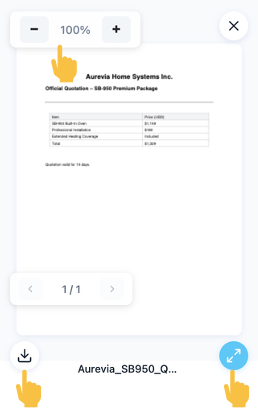
Clicking a PDF opens a preview where you can view the document clearly, zoom, open it in full-screen mode and download the file to your local machine.


Was this article helpful?
That’s Great!
Thank you for your feedback
Sorry! We couldn't be helpful
Thank you for your feedback
Feedback sent
We appreciate your effort and will try to fix the article