You can edit a PDF document in Mediabriz by opening it in Single PDF view, where editing tools are available.
To edit a PDF:
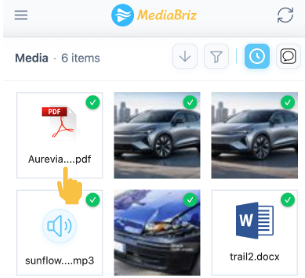
Click the PDF file you want to view.
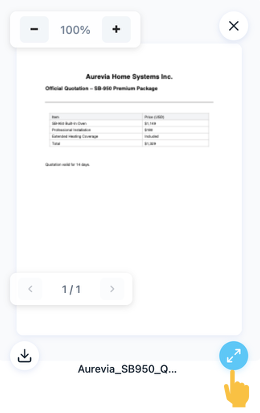
A PDF preview screen will open.
Click the blue circular icon in the bottom-right corner to open the file in full view.
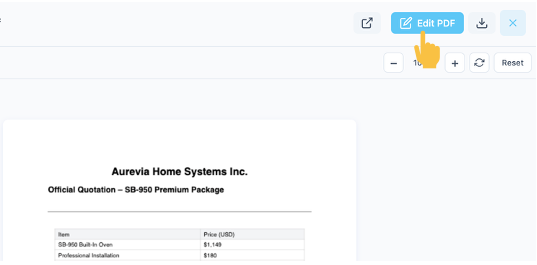
The file will open in Single PDF view.
Click the Edit button to start editing the document.
In this mode, you can:
Draw on the document
Blur sensitive information
Edits are not saved in the application.
To keep the edited version, you must download the file to your local machine.
Was this article helpful?
That’s Great!
Thank you for your feedback
Sorry! We couldn't be helpful
Thank you for your feedback
Feedback sent
We appreciate your effort and will try to fix the article