Conversations can be exported to PDF directly from the Timeline view.
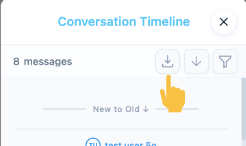
To export a conversation, open the Timeline and click the Export to PDF icon.
The generated document includes the conversation messages in chronological order and can be saved to your local machine.
Please note that export availability may depend on administrator permissions.

Was this article helpful?
That’s Great!
Thank you for your feedback
Sorry! We couldn't be helpful
Thank you for your feedback
Feedback sent
We appreciate your effort and will try to fix the article