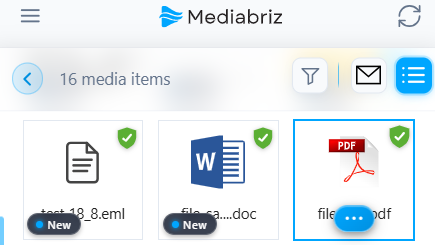
PDF documents can be opened from the Media Gallery or directly from Message History.
Select a PDF in the Media Gallery to open its preview.
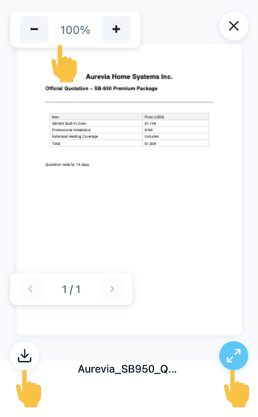
From the preview, you can:
- Zoom in or out
- Open the PDF in full-screen mode
- Download the file to your device
Was this article helpful?
That’s Great!
Thank you for your feedback
Sorry! We couldn't be helpful
Thank you for your feedback
Feedback sent
We appreciate your effort and will try to fix the article