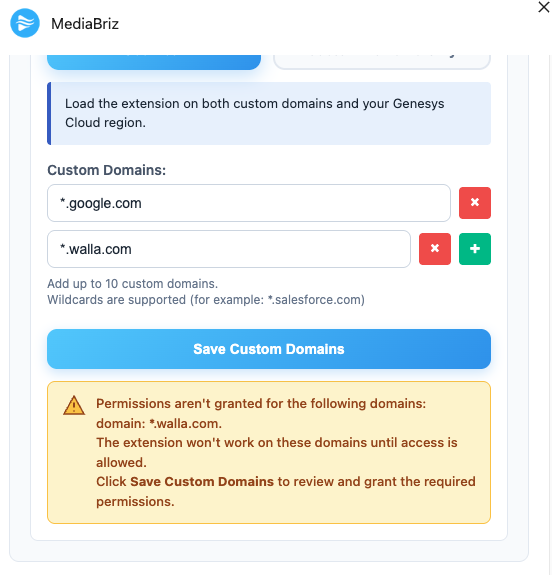
If a customer removes a configured domain, the application will display a warning message in the extension details view indicating that the domain was removed.
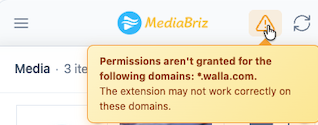
In addition, a warning icon will appear in the application, with a tooltip explaining that a domain has been removed.
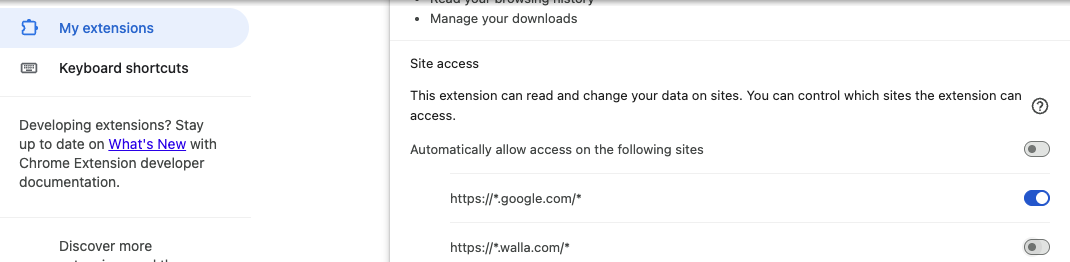
To resolve the issue, the customer should open the extension settings and re-add the required domain or update the domain configuration according to their environment.
Once the domain configuration is corrected and saved, the warning message and icon will be cleared automatically.
Was this article helpful?
That’s Great!
Thank you for your feedback
Sorry! We couldn't be helpful
Thank you for your feedback
Feedback sent
We appreciate your effort and will try to fix the article