Mediabriz Insights provides a centralized dashboard inside Genesys Cloud for handling media activity, scan results, and usage analytics within the Mediabriz extension.
The dashboard is available from the Genesys Cloud interface for users with the integration:cloudBriz:view permission.
Open the Insights Dashboard
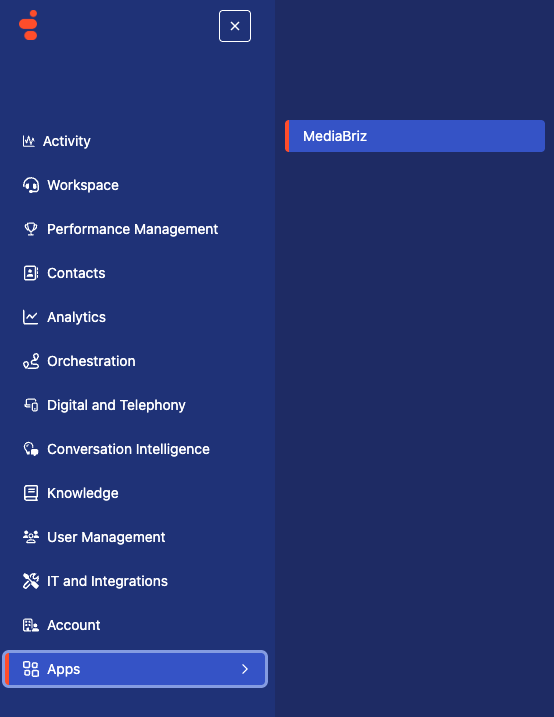
- Open the Apps menu in Genesys Cloud.
- Select Mediabriz.
3. Click Open Mediabriz Insights.
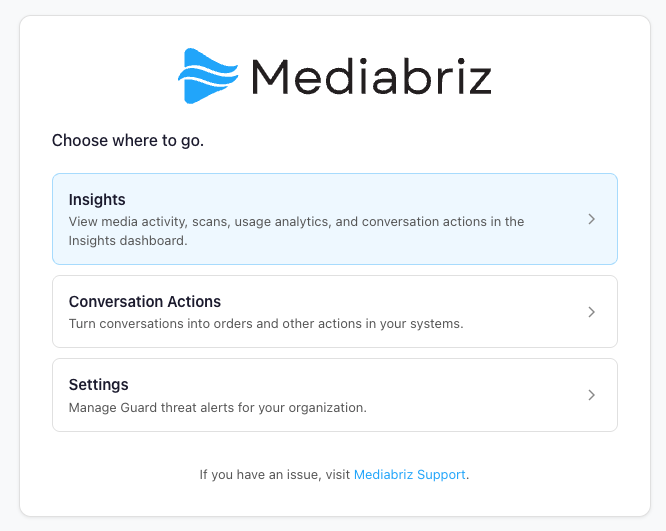
The dashboard opens in a new browser tab.
What You Can View
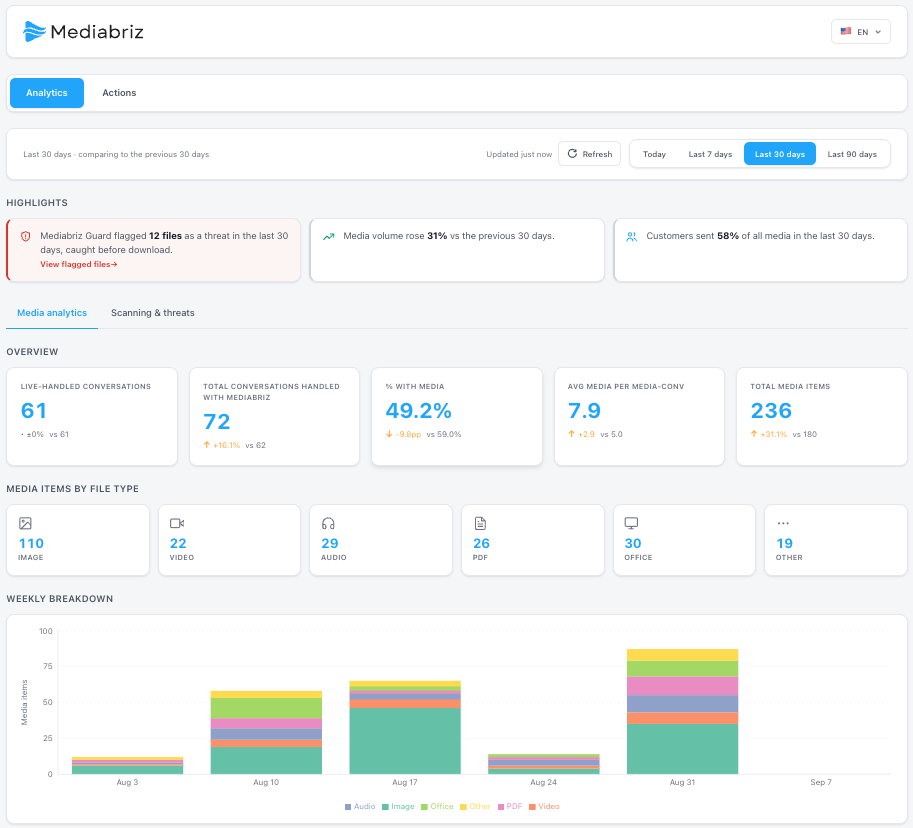
The dashboard includes:
- Media activity statistics
- Scan activity and verdicts
- File type distribution
- Media usage by channel
- Weekly media trends
- General usage analytics
- Conversation Actions activity, including analyses run, orders submitted, failed submissions, and activity trends
Notes
- Only authorized users can access the dashboard.
- The dashboard updates based on media activity.
- Some sections may remain empty until media activity is available.
- Only conversations handled through the Mediabriz extension are included in the Insights analytics.
- Mediabriz Insights refreshes automatically every 10 minutes. To update the data immediately, click the Refresh button at the top of the Insights dashboard.
Need Help?
Or visit the:
Was this article helpful?
That’s Great!
Thank you for your feedback
Sorry! We couldn't be helpful
Thank you for your feedback
Feedback sent
We appreciate your effort and will try to fix the article