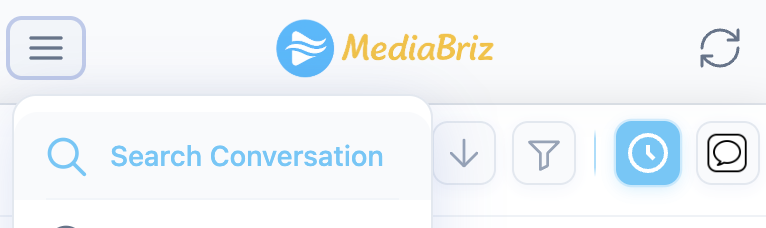
To search for a conversation, tap the hamburger icon in the top-left corner of the main screen (Gallery view) and select Search Conversation from the menu.
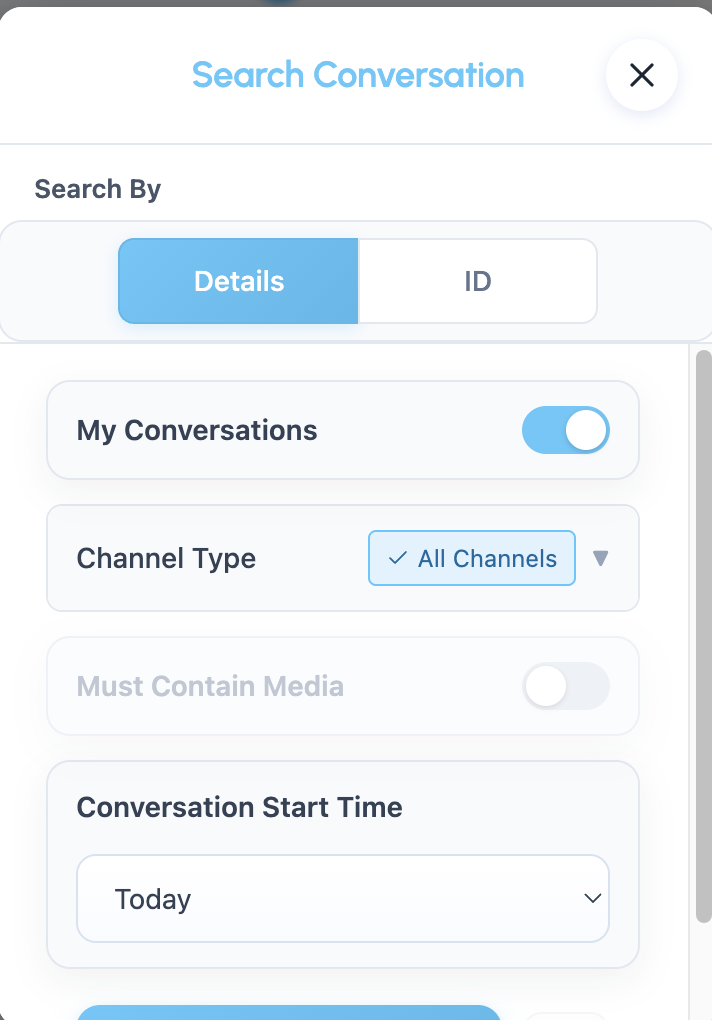
The search window includes two tabs: Details and ID.
By default, the Details tab is selected.
Search by Details
Use this tab to search for conversations using filters such as:
My Conversations – limits the results to conversations assigned to you
Channel Type – filter by channel (WhatsApp, SMS, Email, Instagram, etc.)
Must Contain Media – shows only conversations that include media items. This option is available only for certain messaging channels that support media sharing (for example, WhatsApp).
Conversation Start Time – filter results by date or date range
Adjust the filters as needed and run the search to display matching conversations.
Search by ID
Select the ID tab if you want to locate a specific conversation.
Enter the Conversation ID, then choose whether the conversation is Email or Messaging by selecting the relevant icon.
After selecting the type, press Search.
You can reset the search at any time using the reset icon.
Was this article helpful?
That’s Great!
Thank you for your feedback
Sorry! We couldn't be helpful
Thank you for your feedback
Feedback sent
We appreciate your effort and will try to fix the article