If you cannot find a file you sent in the Media Gallery, it may have been shared as a link rather than uploaded as an attached media file.
Content sent as a link is not saved as a media item, so it does not appear in the Media Gallery.
You can still find the message in Message History, where the conversation’s messages are displayed.
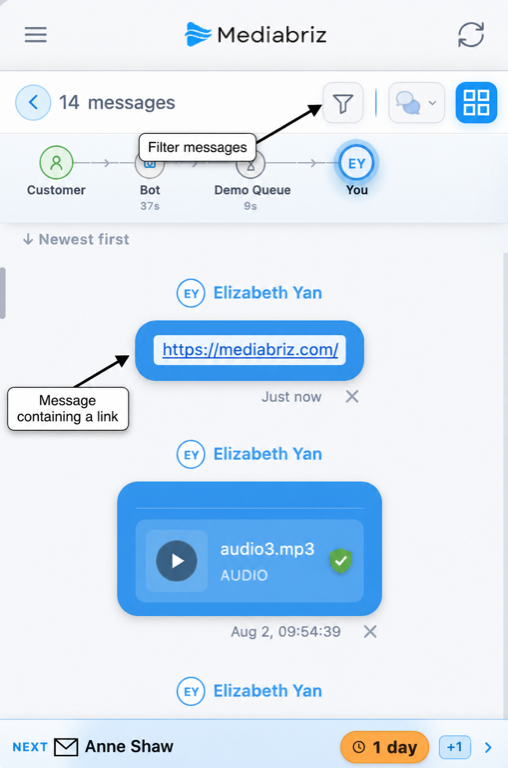
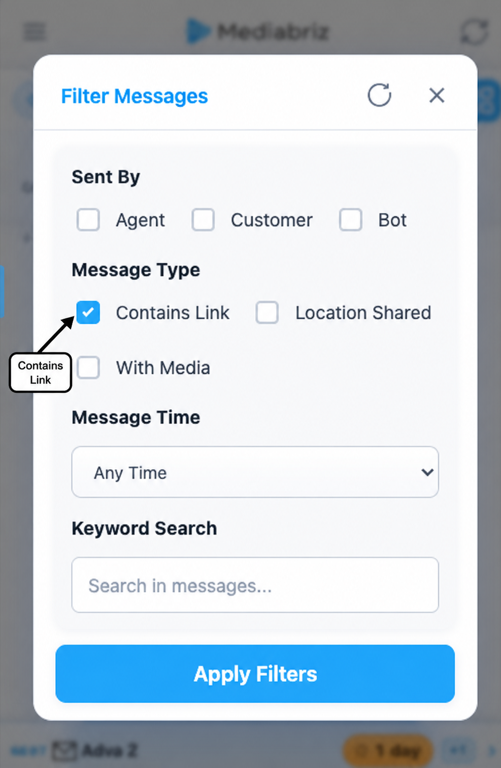
To locate it more quickly, open the Message History filter and select messages that contain links.
Was this article helpful?
That’s Great!
Thank you for your feedback
Sorry! We couldn't be helpful
Thank you for your feedback
Feedback sent
We appreciate your effort and will try to fix the article