The Mediabriz Insights Dashboard provides administrators with visibility into security threats detected by Mediabriz Guard.
To review detected threats:
- Open the Mediabriz Insights Dashboard.
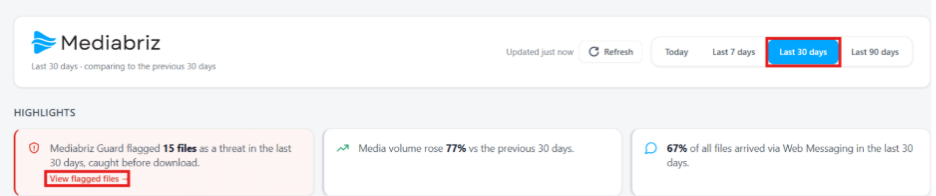
- Select the desired time range.
- Open the Threats Found view from either:
- The Mediabriz Guard card in the Highlights section.
- The Threats Found card in the Scanning & Threats section.
The Threats Found window displays details for each detected threat, including the file name, threat type, sender, channel, and detection time.
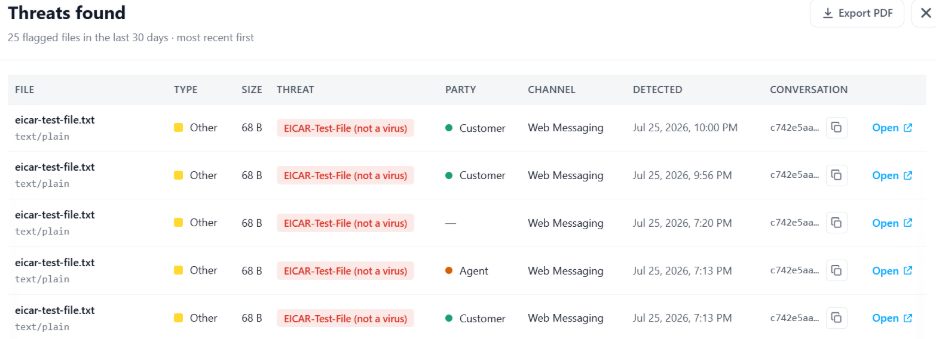
From this view, you can:
- Select Open to view the related conversation.
- Copy the Conversation ID for further investigation or reference.
- Select Export PDF to download a report of the detected threats.

Was this article helpful?
That’s Great!
Thank you for your feedback
Sorry! We couldn't be helpful
Thank you for your feedback
Feedback sent
We appreciate your effort and will try to fix the article