Mediabriz includes built-in translation and audio-playback capabilities, allowing agents to read and listen to customer messages in different languages directly from Message History.
Translating incoming messages
If a customer sends a message in a language you do not understand, you can translate it directly from Message History:
- Locate the customer message you want to translate.
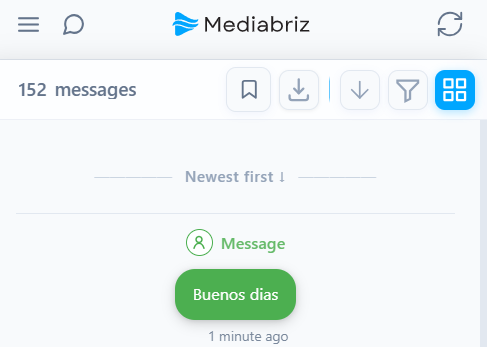
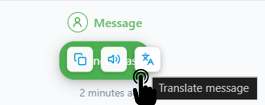
- Hover over the message and select the Translate icon.
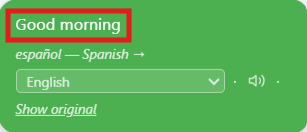
- Select the target language. The translated text will appear with the selected language.
Listening to messages using text-to-speech
Mediabriz can play an audio readout of both the original and translated messages.
Listen to the original message
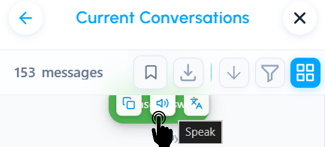
Select the Audio Play icon beside an incoming message to hear an automated reading in its original language.
Listen to the translated message
After translating a message, select the Audio Play icon in the translated message block to hear it in the selected language.

Related article
Was this article helpful?
That’s Great!
Thank you for your feedback
Sorry! We couldn't be helpful
Thank you for your feedback
Feedback sent
We appreciate your effort and will try to fix the article