Mediabriz allows you to quickly read incoming customer text directly from your active conversation list without having to fully open the conversation.
How to Preview an Unread Message
Open the Live Conversations panel.
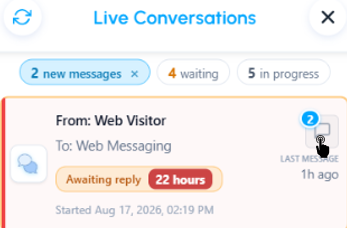
Locate any conversation card displaying an unread message badge (e.g., 3 NEW FROM CUSTOMER).
Select the Preview latest messages icon next to the interaction card.
The Latest messages card opens with the last 25 messages, newest at the bottom. Each message shows the sender and time above its text. Drag the grip under the messages to resize the card.
You can also answer the customer from this card on messaging conversations, and on email when email reply is enabled for your organization. See How do I reply to a customer from Mediabriz?
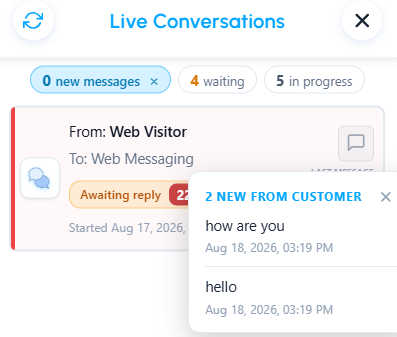
Note: Opening or previewing the incoming message will automatically clear the unread counter badge.
Was this article helpful?
That’s Great!
Thank you for your feedback
Sorry! We couldn't be helpful
Thank you for your feedback
Feedback sent
We appreciate your effort and will try to fix the article