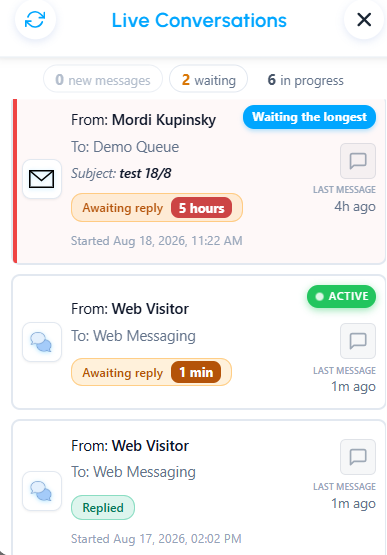
In the Live Conversations view, each conversation displays a status badge that helps you quickly identify its current status.
The available statuses are:
- Awaiting reply – The customer has sent a message and is waiting for an agent to respond.
- Replied – The customer's latest message has been answered by an agent.
- Ended – Your side of the conversation has ended, and it stays in the list while you complete after-call work (wrap-up). This happens when you disconnect, or when an email reply closes the interaction. The badge is shown first, and the conversation's Overview shows the same Ended label. If you replied last, Replied is shown next to it.
Ended conversations are not waiting for you
An ended conversation is not waiting for your reply, even if the customer sent the last message. It does not show Awaiting reply, a waiting time or a colored accent. It is not counted in the Waiting total or its filter, and the Priority Strip never shows it as the next conversation. If the conversation becomes active again, it returns to its usual status. Once after-call work is complete, it leaves the list.
For more details about this view, see Live Conversations.
Was this article helpful?
That’s Great!
Thank you for your feedback
Sorry! We couldn't be helpful
Thank you for your feedback
Feedback sent
We appreciate your effort and will try to fix the article