In the Current Conversations modal, you can instantly narrow down your active workload using interactive summary filters located at the top of the window.
Filtering Your Conversations in One Click
Instead of manually scrolling through all open conversations, click on the summary counters to dynamic filter your list:
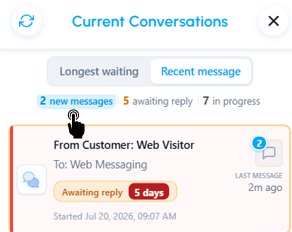
New Messages Filter: Click the New messages total to instantly display only the conversations that have unread messages from customers.
Awaiting Reply Filter: Click the Awaiting reply total to focus strictly on interactions that are waiting for your response.
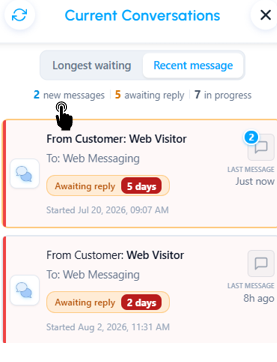
Clear Filters: Click the active filter again or the 'in progress' counter to reset the view and display your complete list of active conversations.
Was this article helpful?
That’s Great!
Thank you for your feedback
Sorry! We couldn't be helpful
Thank you for your feedback
Feedback sent
We appreciate your effort and will try to fix the article